

Register tenants and issue monthly bills
Set it up once, then bills are issued automatically every month.
Long-term tenants live in the same units as nightly stays. You do not need a separate unit for monthly rentals.
The pictures and video use example data, not a real business.
Watch: the video guide
Illustrated walkthrough
Open Tenants. How many agreements are not yet accepted, and how much rent is overdue.
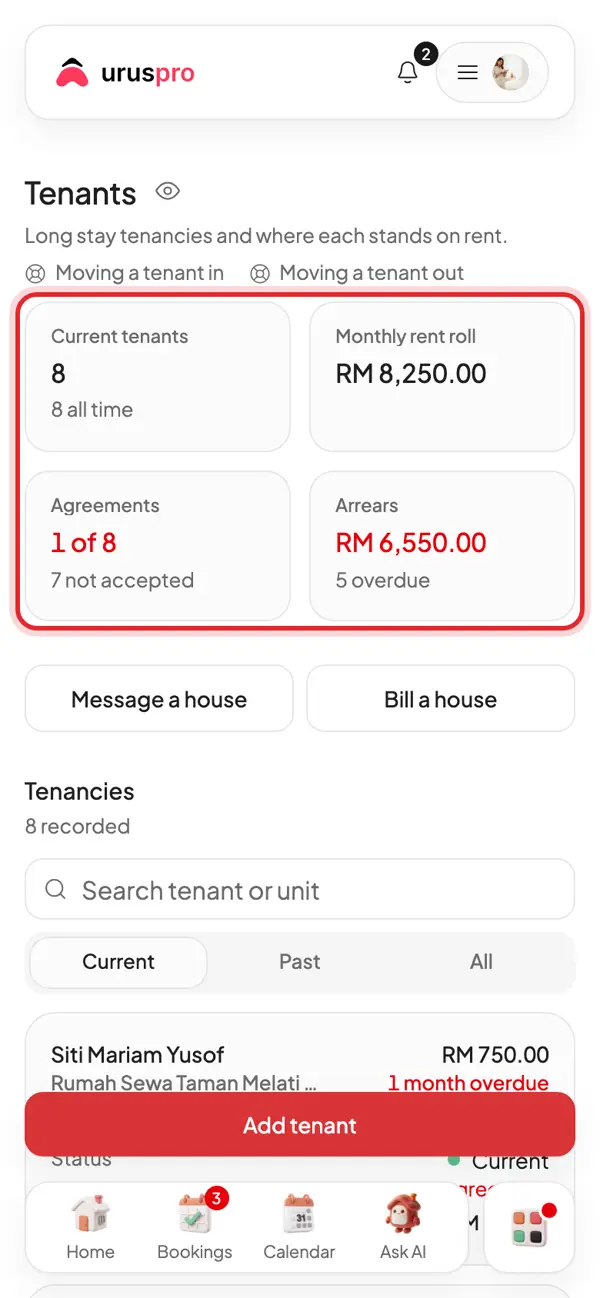
Each card: the room, monthly rent and balance due. Tap one to open the rent ledger.
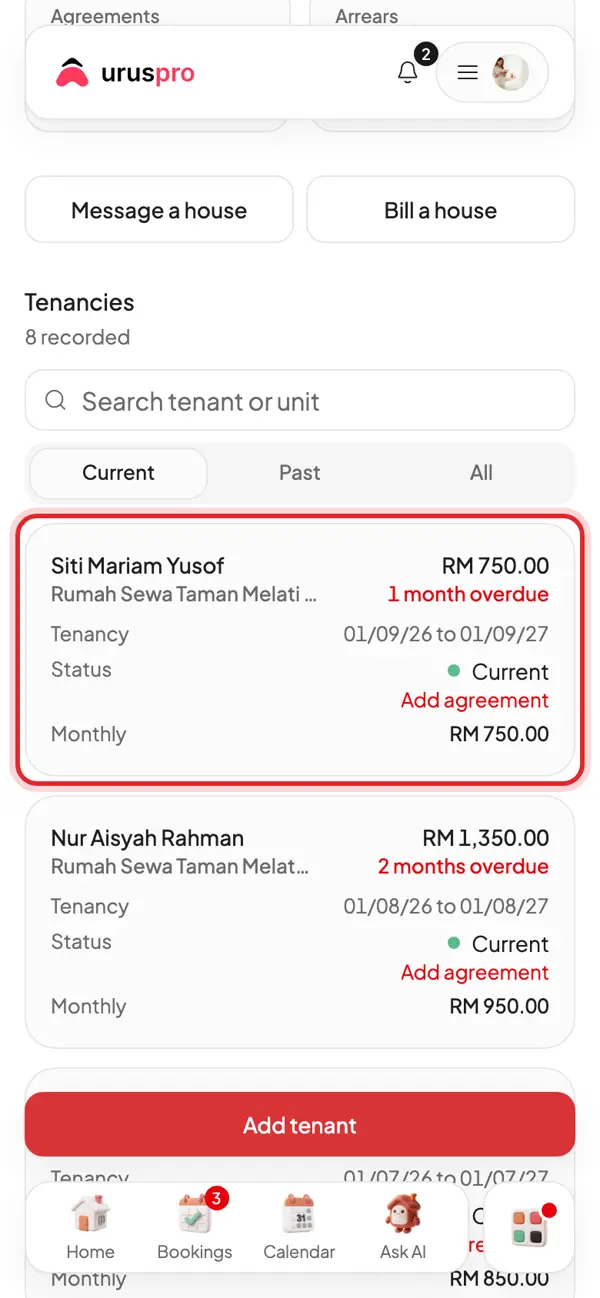
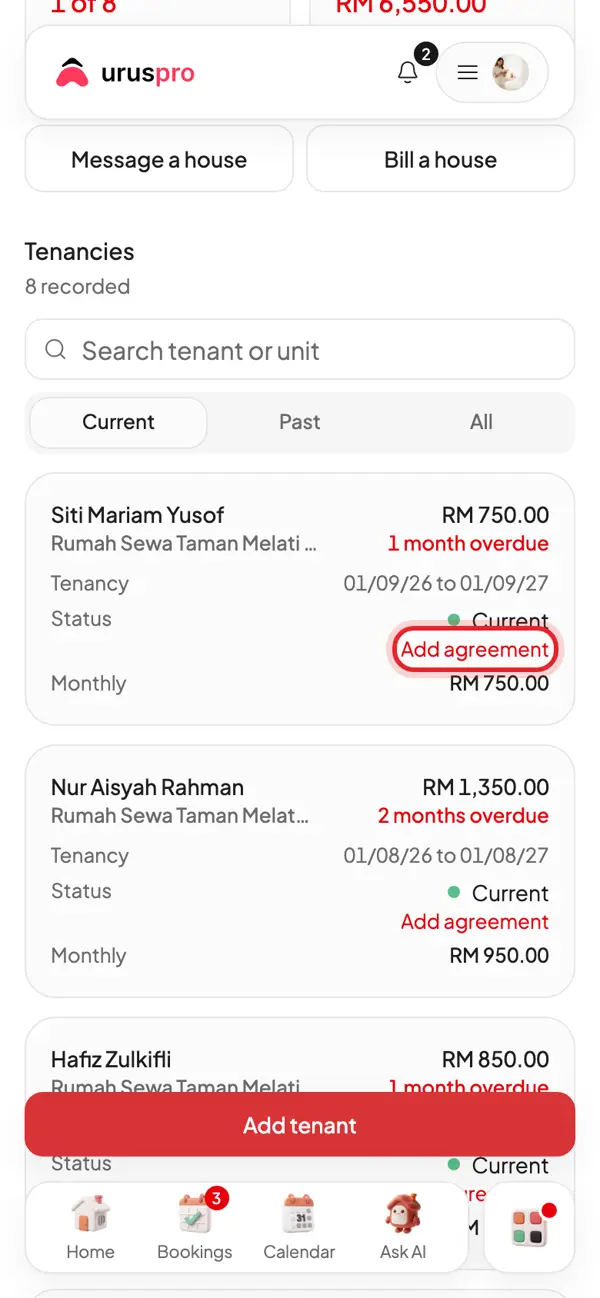
No agreement yet? Tap Add agreement to make one and send it for signing.
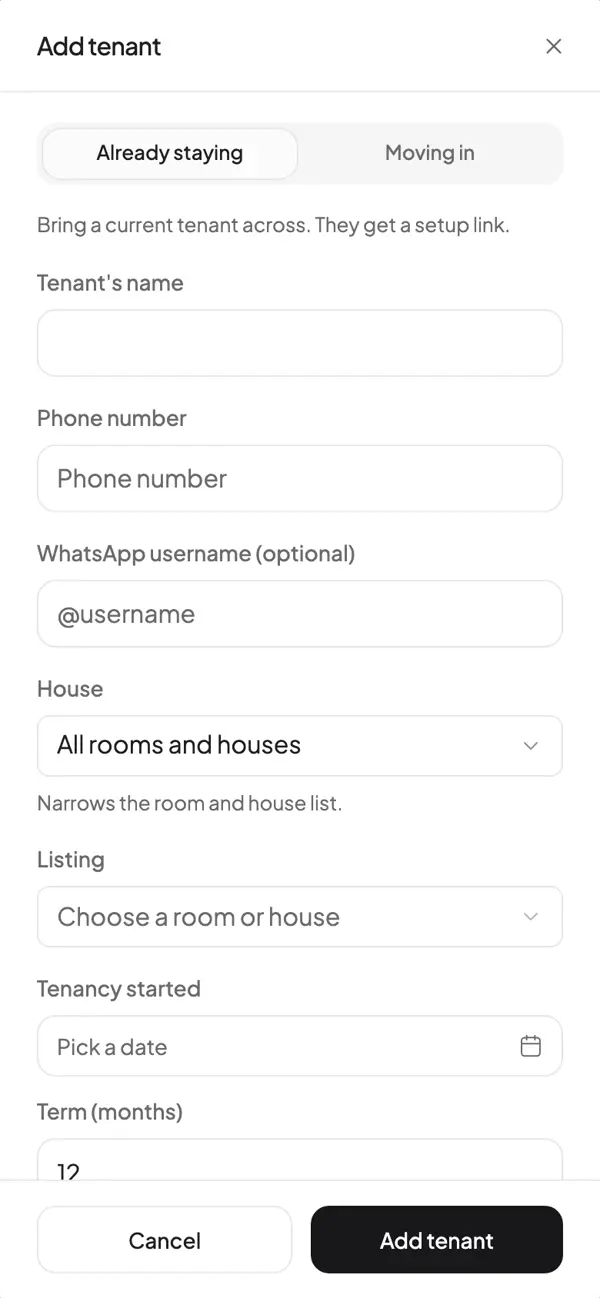
A new tenant? Tap Add tenant.
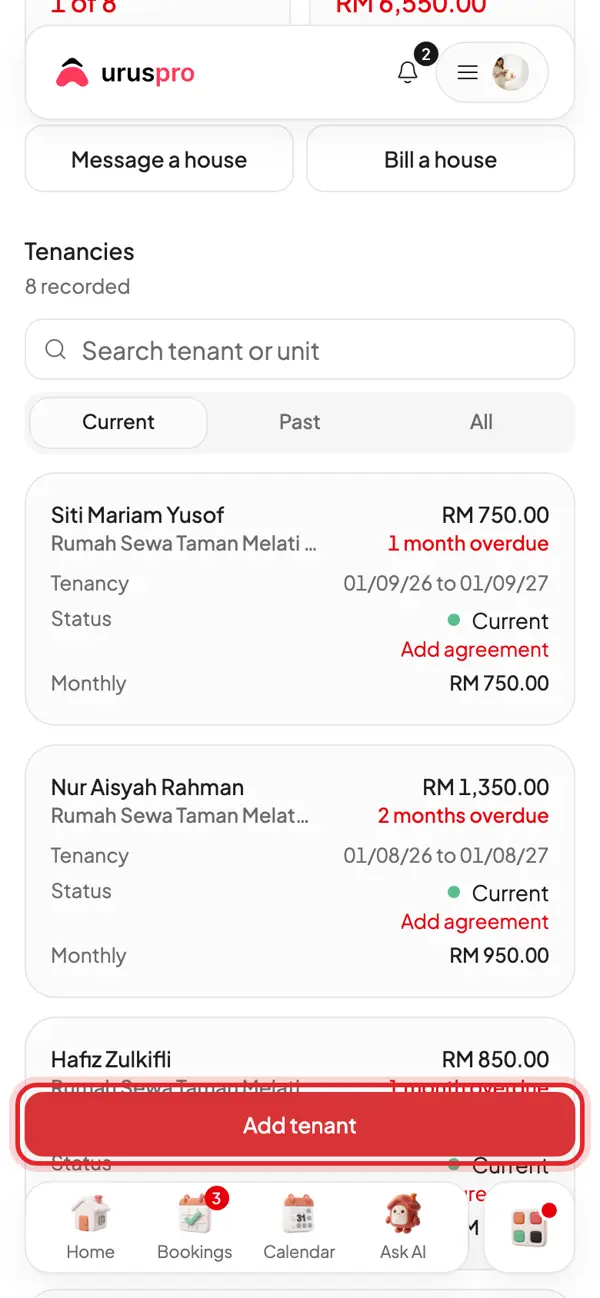
Fill in the name, phone, room, rent, deposit and the day rent is due. Monthly bills are made for you.
Steps
- Open Tenants and add the tenant with a start date, end date, monthly rate and deposit.
- Save. Monthly bills are issued on schedule; you do not retype the same amount every month.
- Open Bills to see what has been billed and what is outstanding.
Deposits
Deposits are tracked separately from rent because they are the tenant's money until returned. When a tenant moves out, record deductions with their reasons, then return the balance. That trail is kept.
Tenancy agreements
Agreements are generated from a template and can be opened as a full page or downloaded. They are not legal advice: legal review and stamp duty remain your responsibility.
If something needs adjusting
Use a credit note, rather than changing a bill that has already been sent. The original bill stays as the tenant received it, and the adjustment has its own record.