

Books: money in, money out and profit and loss
Every ringgit in and out, counted on the day it moves.
Books lists every sum of money in and out for your organisation, and calculates profit and loss from it. It reads directly from bookings, rent, expenses and landlord payments, so nothing needs recording twice.
The pictures and video use example data, not a real business.
Watch: the video guide
Illustrated walkthrough
Open Books. Money in, money out and this month's profit, worked out from your bookings, rent and expenses.
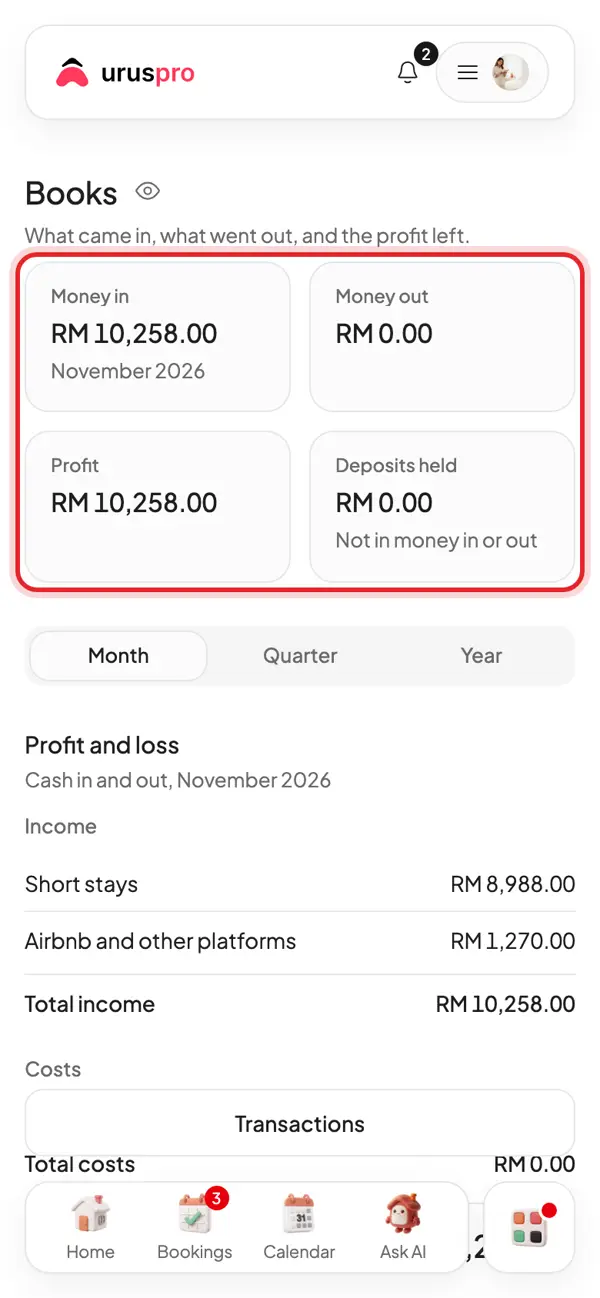
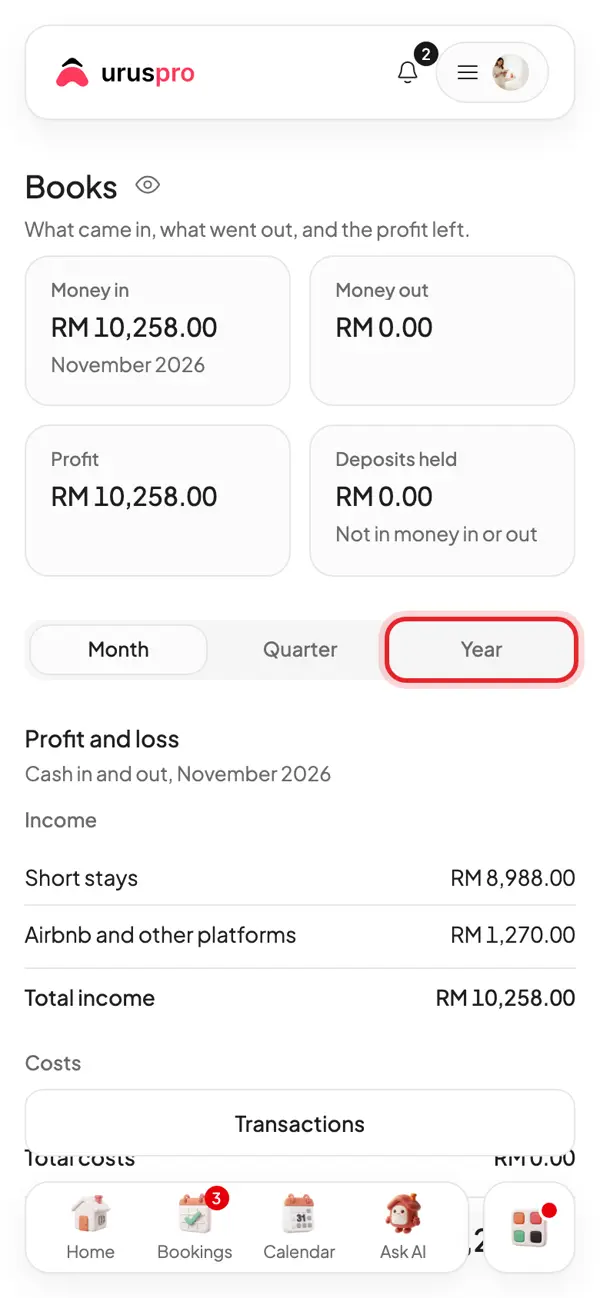
Switch to Quarter or Year for a longer view.
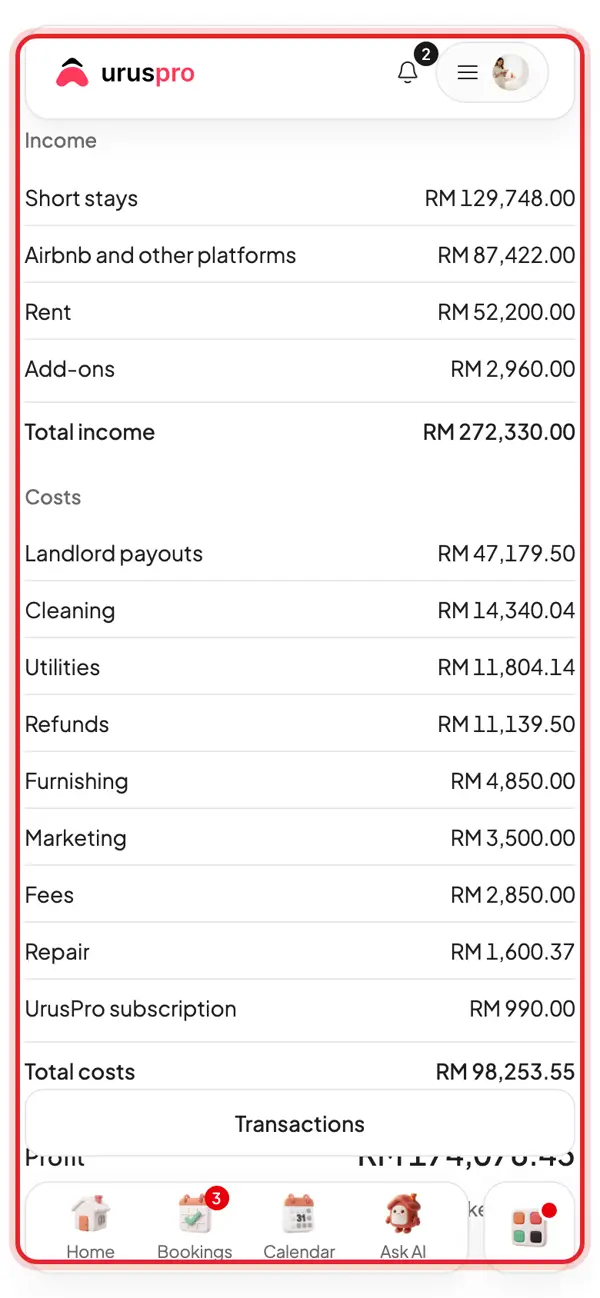
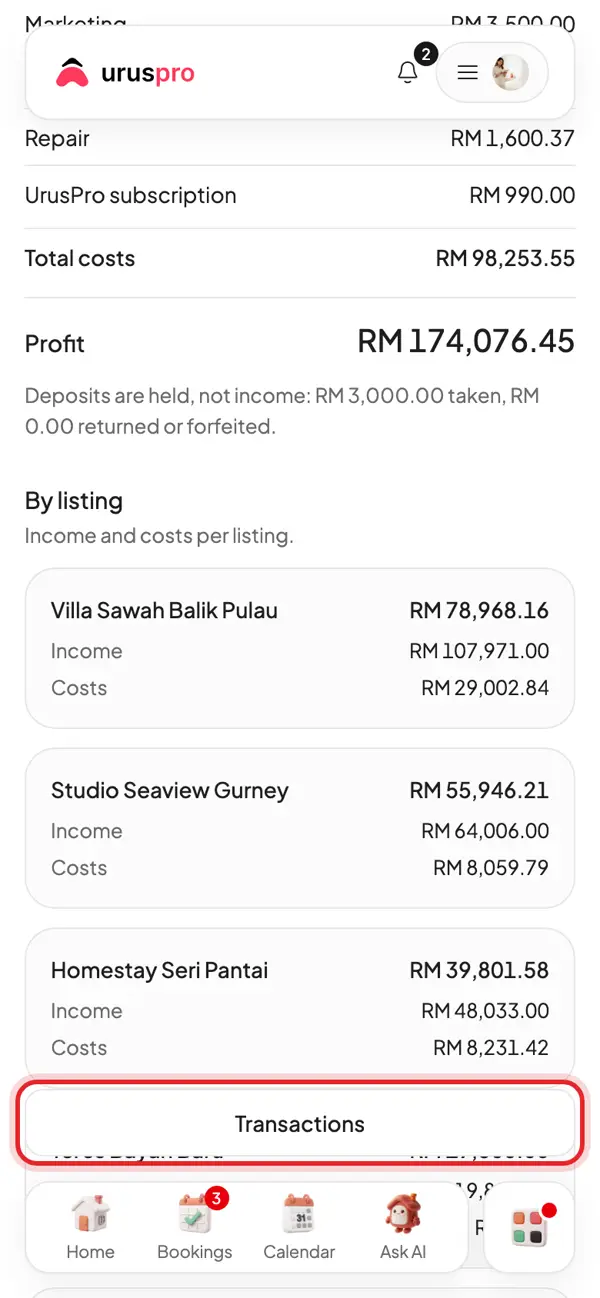
Profit and loss: income by source, costs by category, and the profit left.
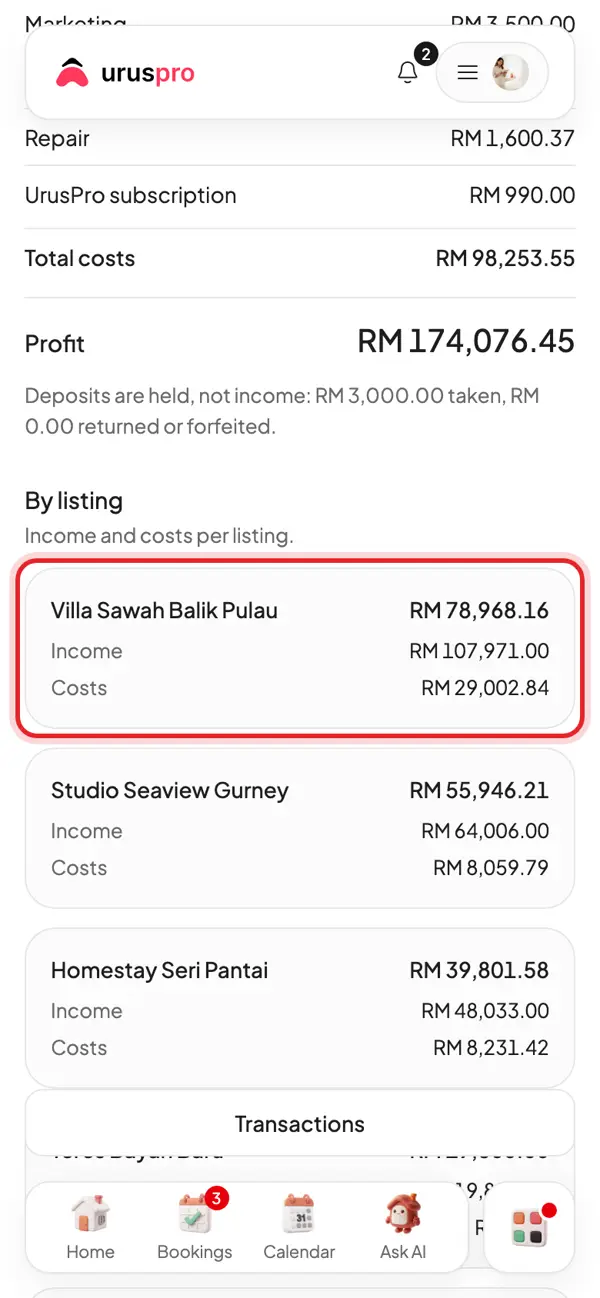
By listing: what each unit earns and costs, so you know which ones really make money.
Need every ringgit one by one? Tap Transactions.
When is money counted?
On the day the money is received or paid. October rent paid in September is counted in September.
What counts as income?
- Short stay payments and monthly rent
- Add-ons and utility bills paid by tenants
- Airbnb income you enter in Performance
- Forfeited deposits
Why are deposits not counted as income?
A deposit is money you hold on the tenant's behalf. It is shown separately as money held, and only becomes income if it is forfeited.
What counts as a cost?
- Expenses you record
- Payments to landlords
- Refunds to guests
- UrusPro subscription and commission